
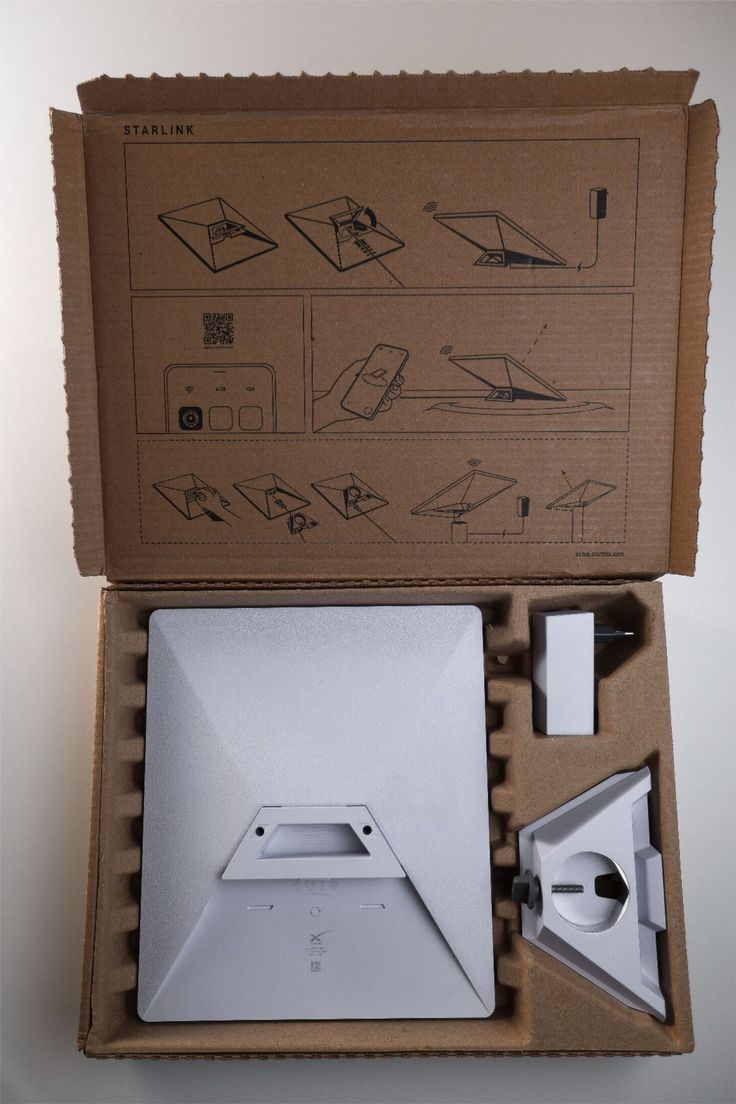
A Starlink WiFi zone is simply a shared wireless network powered by a Starlink satellite connection. Instead of one person plugging a phone into the kit, the internet is broadcast across a restaurant terrace, hotel floor, event field, school block or camp site through proper routers and access points. We build these setups for clients in Cameroon who want guests, students or staff to connect without each user buying their own data bundle.
Where a Starlink WiFi zone makes sense
- Guest houses and hotels where visitors expect free or voucher WiFi in every room.
- Cafés, restaurants and bars with outdoor seating that street-side fibre never reaches cleanly.
- Event venues, weddings, conferences and pop-ups that need internet for a few days, not a permanent trench.
- Schools and training centres in areas where fixed broadband is slow or unavailable.
- Remote work sites, farms, plantations and construction camps that need one shared connection.
- Community centres and churches that want controlled access for members and visitors.
What you need to build the zone
| Component | What it does | Our recommendation |
|---|---|---|
| Starlink kit | Satellite internet connection to the building or field | Mini for small zones and travel, Standard V4 for busy sites with many devices |
| Router | Shares the connection, controls users, limits speed per device | MikroTik for businesses that need vouchers, VLANs and reporting |
| Access points | Broadcast WiFi across rooms, floors or open ground | Placed after a coverage survey so there are no dead zones |
| Power backup | Keeps the zone online during grid dips | UPS or inverter sized for the router and access points |
| Cabling and mounting | Links the dish, router and access points cleanly and safely | Professional routing, weatherproofing and mounting |
Mini vs Standard V4 for a WiFi zone
The Starlink Mini is perfect for a small guest house, a single café floor or a temporary event tent. It is compact, low on power and fits in a backpack if the site changes. The Standard V4 is the right choice for hotels, schools, offices and event venues with dozens of users at once, its Wi-Fi 6 Gen 3 router handles up to 235 devices and gives the headroom for smooth video calls and streaming.
How Smart Wave Technologies builds a WiFi zone
- 1Site survey: we walk the property and mark dead zones, cable paths, power points and the clearest sky view for the dish.
- 2Kit selection: Mini or V4 depending on user count, budget and whether the site is permanent or mobile.
- 3Mount and align the dish: roof, wall or pole mount, with a line of sight free of trees and neighbouring blocks.
- 4Install the router and access points: MikroTik for business networks, with VLANs to separate staff, guests and payment systems.
- 5Configure access: vouchers, passwords, time limits, fair-use caps and a captive portal branded to your business.
- 6Test and hand over: we connect representative devices in every zone, show you the admin panel, and leave support contact details.
Controlling who uses the zone
For a business, open WiFi can be a liability. We configure options that match how you run: free access with a time cap for guests, paid vouchers by hour or day for events, room-number logins for hotels, or separate staff and public networks so your office data is not shared with visitors. Every setup includes bandwidth limits so one heavy downloader cannot slow down the whole site.
Pricing to budget from
The Starlink kit is a one-off hardware purchase: Mini at 235,000 FRS promo price, Standard V4 at 345,000 FRS promo price. Installation ranges from 55,000 to 85,000 FRS depending on your town and building. The router, access points and any extra network work are quoted after the coverage survey because every building layout is different.
Send a photo of your building and tell us how many people will use the WiFi zone. An executive will reply with the right kit, the number of access points and a firm quote.
Frequently asked questions
Can I use Starlink to create a public WiFi zone in Cameroon?
Yes, for your own premises such as a hotel, café, school, church or event venue. Starlink is a subscription-based residential and business service, so the zone should serve your customers, guests or staff rather than be resold as a standalone ISP service. We configure access control so the network stays secure and fairly shared.
How many users can a Starlink WiFi zone support?
A Starlink Mini comfortably supports a small household or shop. For hotels, schools, offices or events with many simultaneous users, the Standard V4's Wi-Fi 6 router supports up to 235 devices. We add extra access points when the building layout demands wider coverage.
What is the range of a Starlink WiFi zone?
The Starlink router alone covers one open room or a small apartment well. For a guest house, restaurant or campus we install access points at strategic positions after a coverage survey, so users roam from zone to zone without losing connection.
Do I need a MikroTik router for a Starlink WiFi zone?
For simple home sharing, the Starlink router is enough. For businesses that need vouchers, user limits, separate staff and guest networks, failover or usage reports, we recommend MikroTik because it gives the control a commercial WiFi zone needs.
Can Starlink power an outdoor event or temporary camp?
Yes. The Starlink Mini is ideal for temporary sites because it is compact, quick to align and easy to move. Pair it with a small inverter or generator and a weather-safe access point and you have an internet zone for the duration of the event.
Talk to an executive
Send your building photo and address on WhatsApp and you'll get a firm price and an installation slot.
Buying a kit? See Starlink prices and towns we install in.
Keep reading
- Pricing guideStarlink price in Cameroon (2026): kits, installation and monthly cost
- Installation guideHow Starlink installation works in Cameroon: a site-by-site guide
- ComparisonStarlink vs fibre and local ISPs in Cameroon: which should you choose?
- Business guideBusiness Wi-Fi in Cameroon: hotspot zones, MikroTik and CCTV that actually hold up
- Buying guideStarlink Mini vs Standard (V4): which kit should you buy in Cameroon?
- Security guideCCTV camera installation in Cameroon: cost, cameras and what to expect
- Starlink basicsDoes Starlink work in Cameroon? Availability, legality and real performance